AutoQuartering
Spreadsheet in. Polygons out. A three-step wizard that turns hundreds or thousands of aliquot legal descriptions into mapped tracts, with streaming row-level output and clear error reporting so you can fix the bad rows and keep moving.
- Three-step wizard — spreadsheet, section source, run
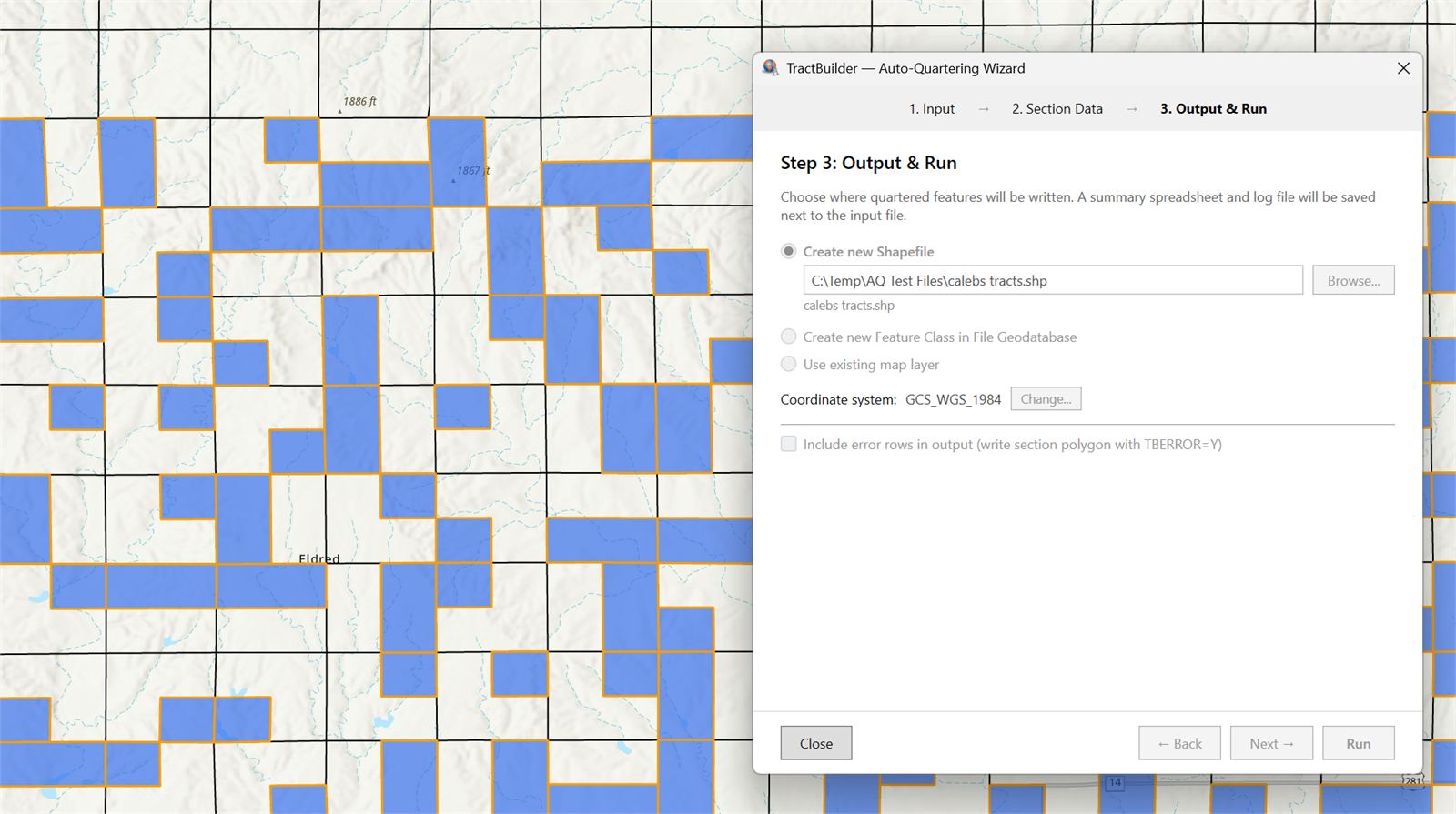
- Live view of mapped tracts as the batch processes
- PLSS and Texas OTLS formats out of the box
Time saved, not hours lost.
If you have a spreadsheet of legals — from an abstract, a unit build, a lease package — AutoQuartering maps the whole thing without asking you to open the Quartering Tool a thousand times. Point it at the file, tell it where to find sections, and let it run.
When a row fails, the tool tells you which row and why, so you can fix the description in the spreadsheet and re-run just that slice. No half-finished feature classes, no mystery failures.
What It Does
Three-Step Wizard
Step 1 — Pick your spreadsheet. Browse to the file with your legal descriptions.
Step 2 — Choose a section source. Use a section layer already in your map or switch on our online sections database.
Step 3 — Run and review. Kick off the batch and watch your tracts land on the map. Same flow, every time.
Live View as It Processes
Watch mapped tracts appear on your working layer as AutoQuartering moves through the spreadsheet — not a modal freeze, not a wait-and-hope progress bar. Any rows that couldn't be parsed are summarized at the end of the run so you know exactly which rows to fix and re-run.
Quartering
Works With the Data You Already Have
AutoQuartering supports the most common section boundary data providers and the spreadsheet layouts our customers already use every day. Bring your own shapefile, point at a state landgrid, or lean on our hosted online database — it all flows into the same output. No awkward conversions, no format gymnastics.
Who Uses AutoQuartering
For GIS Teams
Crunch through large volumes of legal descriptions with ease. One wizard, one database, predictable output — so an analyst can turn a 5,000-row spreadsheet into a working feature class in a morning instead of a week.
For Energy Companies
Map holdings across hundreds or thousands of tracts straight from your position lists. Turn asset inventories into overlay-ready geometry without hand-mapping a single row.
For Government
Map lease inventories, permits, and entitlement areas at scale. Batch-process legal descriptions out of your records system into a feature class you can publish, share, or analyze.
Run it against a real spreadsheet.
Start a free trial and put AutoQuartering against a batch you've been dreading.
Start Free Trial Contact SalesFrequently Asked Questions
Where is the free trial?
The AutoQuartering Tool stays in demo / trial mode as part of the standard TractBuilder Pro license — it will process up to 5 rows from any spreadsheet you point at it, so you can walk through the full workflow end-to-end before committing to the AutoQuartering subscription tier.
What spreadsheet formats are supported?
AutoQuartering reads the common spreadsheet layouts our customers use for PLSS and Texas OTLS workflows. Sample spreadsheets for each supported layout are available in the TractBuilder Pro portal — grab one, drop your legals into the template, and run.
What happens if a row can't be parsed?
Valid rows still produce features as the batch runs. The rows that couldn't be parsed are collected and reported at the end of the run with a failure reason, so you can fix the description in the source spreadsheet and re-run just those rows.
Do I need a section layer in my map?
No. Step 2 of the wizard lets you pick between a section layer you've already loaded and our online sections database. The database works out of the box.
Is this the same subscription as the other TractBuilder Pro tools?
AutoQuartering is part of the TractBuilder Pro family of tools but ships with its own subscription tier because of the volume it processes. Start a free trial to put it through its paces, then talk to sales about pricing for your team.